Reminders that read the room
Timing adapts to your progress and logging pattern, respects quiet hours and Focus, and backs off when you are on track.
Hydration is behind scheduleDrink 500 mL to get back on track today.
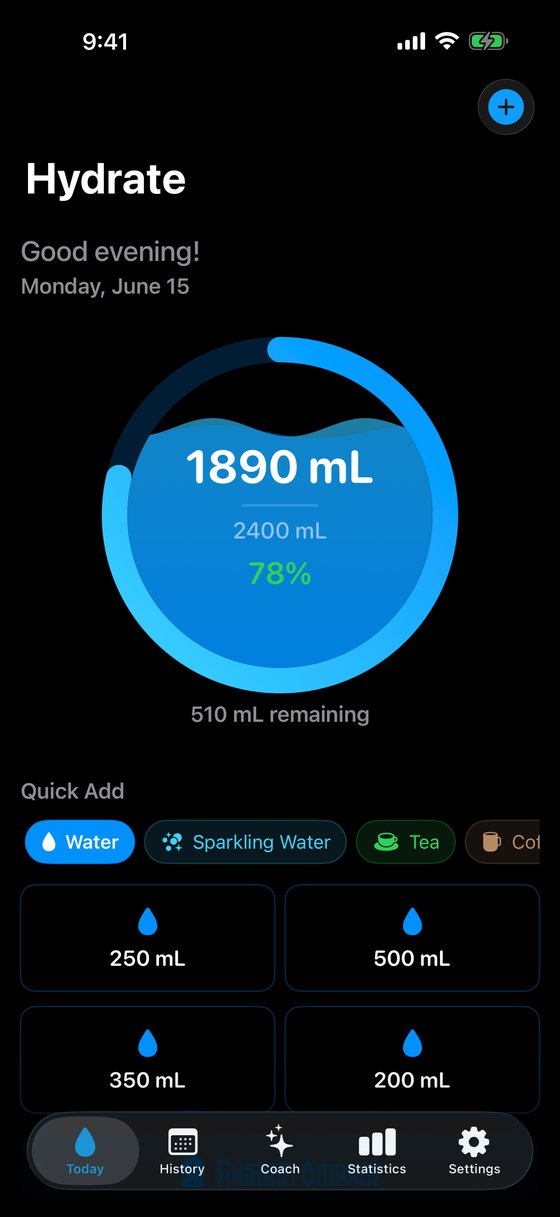
Hydrate: Water Coach works out a daily water goal you can actually read, reminds you when you fall behind, and keeps every record on your device. On iPhone, iPad and Apple Watch.
The film
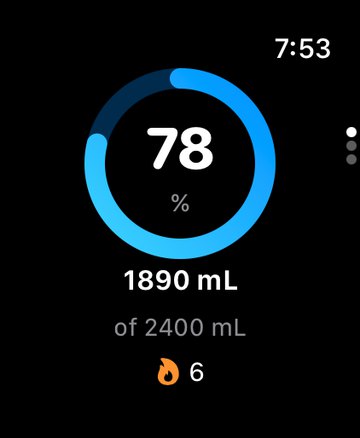
Your water bill, itemised to the millilitre, then paid off one tap at a time on iPhone or Apple Watch. Twenty-four seconds.
With voiceover and captions. Screens use sample data.
How it works
Most water apps hand you a number. Hydrate starts at 33 mL per kilogram of body weight, then adds activity, climate, current weather, recent workouts and a small caffeine buffer.
Every line is listed in the Coach tab, and you decide whether to apply it.
Example: 70 kg, moderately active
Rounded to the nearest 50 mL. Targets are estimates for general wellness, not medical advice.
Log from wherever you are
Timing adapts to your progress and logging pattern, respects quiet hours and Focus, and backs off when you are on track.
Nine drink types, with quick-add sizes you set to match your own bottle and mug.
Coffee and tea add an estimated caffeine total for the day, with a small water cue to go with it.
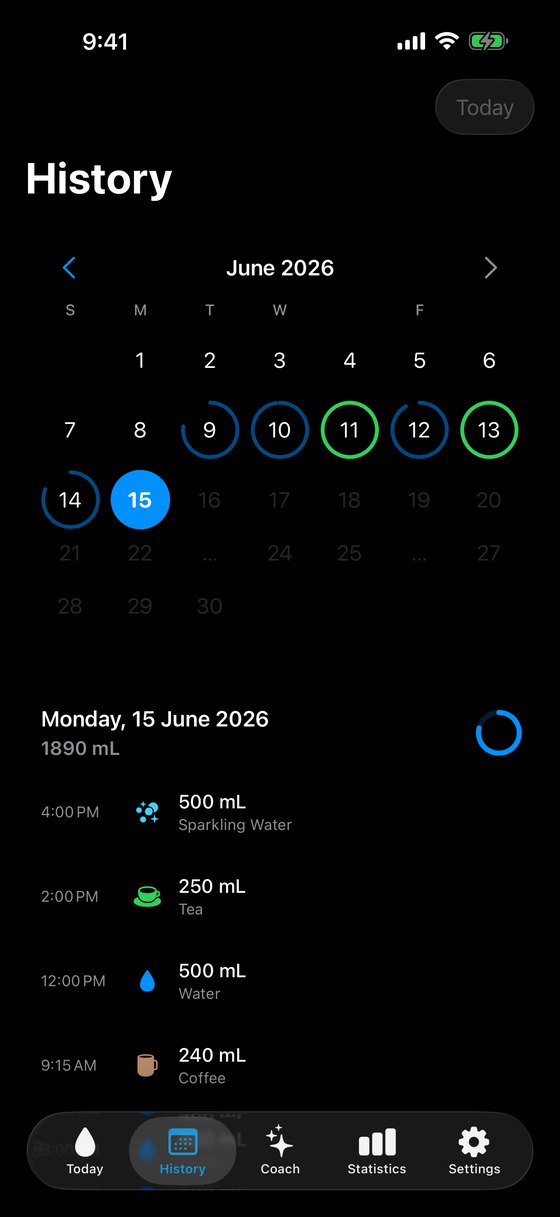
Week, month and year charts, goal rate, drink mix, and a calendar that makes missed days easy to spot and fix.
Streaks, achievements, personal challenges, weekly reports, a plant that grows as you drink, and a Hydration Wrapped look back at your year.
Millilitres, ounces, cups or litres. Kilograms or pounds. Colour themes and twelve alternate app icons. Built for Dynamic Type, VoiceOver and Reduce Motion.
Write water and caffeine to Health, and read workouts to adjust the day’s goal. Off until you turn it on.
A look inside
Log it, look back, get advice, see the trend. Screens from the app with sample data.
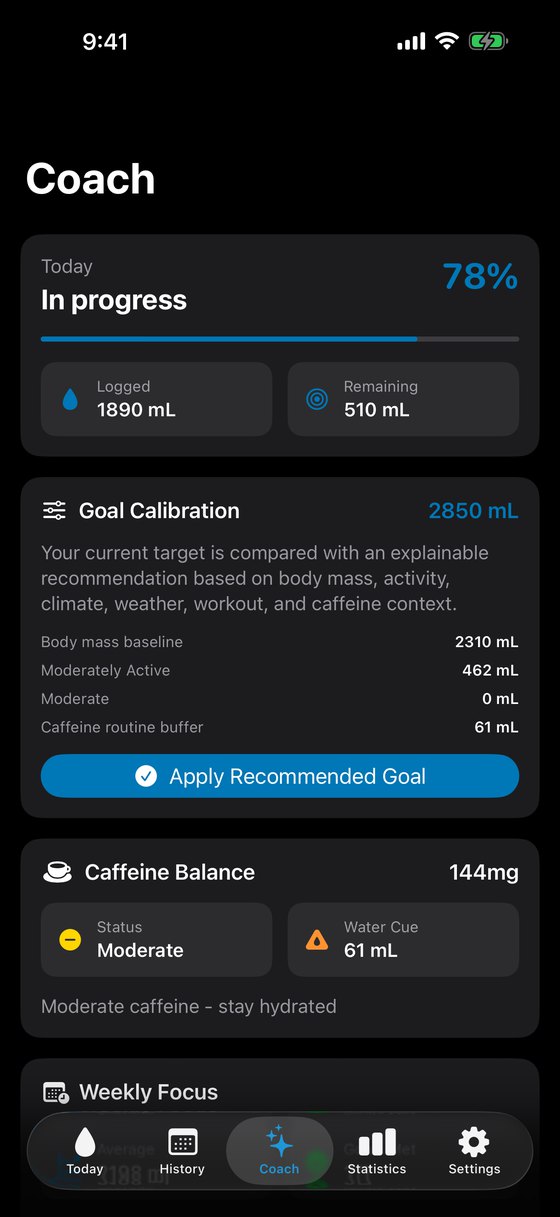
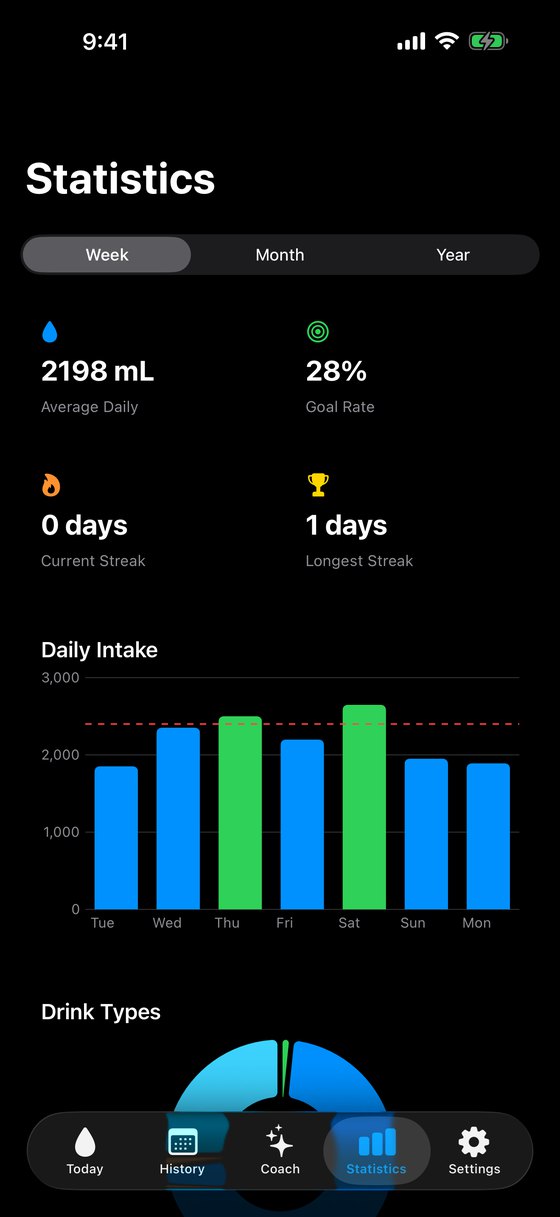
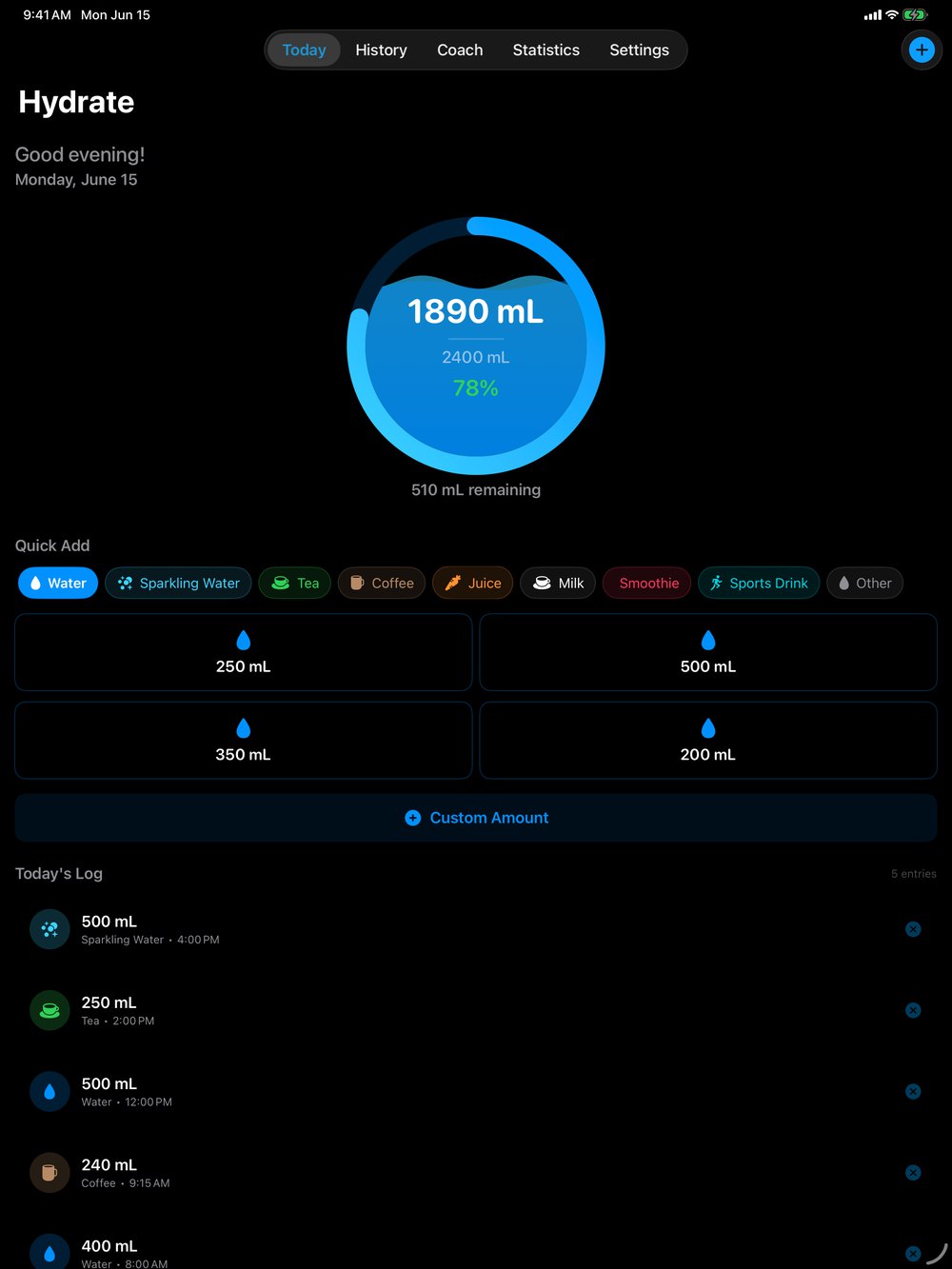
iPhone, iPad and Apple Watch
Quick add, custom amounts, progress and streak on your wrist. Entries reach your iPhone automatically.
A roomier layout with your progress, quick add and today’s log on one screen.
Home Screen, Lock Screen, StandBy and the Dynamic Island keep today’s number in sight. A Control Center button logs water on iOS 18.
Privacy
Hydrate has no account system and no server for your data. What you log stays in on-device storage until you export it or delete it.
Open the app and start logging. There is nothing to create or remember.
No advertising SDKs, no third-party analytics, and nothing sold.
Records stay on the device you log them on. Apple Watch entries sync with its paired iPhone.
Apple Health access is off until you grant it, and you can revoke it any time in Settings.
Used only if you turn on weather-aware goals, to fetch local conditions.
Export to CSV, JSON or PDF. Delete everything from Settings in one step.
Pricing
Every plan unlocks the whole app on iPhone, iPad and Apple Watch. There is no free tier and no feature held back.
$2.99 / month
7 days free for eligible new subscribers, then billed monthly.
$19.99 / year
7 days free for eligible new subscribers. About $1.67 a month.
$39.99 once
A single purchase. No trial and no renewal.
Prices are in US dollars. The App Store shows your local price before you confirm. Payment is charged to your Apple ID. Subscriptions renew automatically unless cancelled at least 24 hours before the end of the current period. Manage or cancel in your App Store account settings. See the Terms of Use and Privacy Policy.
FAQ
Yes. The monthly and yearly plans start with 7 days free if your Apple ID is eligible. The App Store confirms eligibility before you buy. Lifetime is a one-time purchase without a trial.
No account, ever. Logging works offline. A connection is only used for optional weather-aware goals and for App Store purchases.
Records are stored on the device where you log them, and Hydrate does not upload them to a cloud service. Apple Watch entries sync with the paired iPhone. If you turn on Apple Health, water and caffeine entries are also written to Health.
Hydrate starts at 33 mL per kilogram of body weight, a practical midpoint of common hydration guidance, then adjusts for activity and climate. Weather, recent workouts and caffeine can add to it. The Coach tab lists each factor, and you can apply the recommendation or keep your own target.
No. Hydrate is a general wellness tracker and its targets are estimates. If you have a medical condition or have been told to limit or increase fluids, follow your clinician’s guidance.
Reminders adapt to how far along you are, when you usually drink, your quiet hours and your active Focus. You can snooze one or skip a day, and notifications are always optional.
Yes. Export to CSV, JSON or PDF from Settings at any time. Delete All Data in Settings removes your records from the device.
Tap Restore Purchases on the plans screen or in Settings while signed in with the Apple ID you bought with. Active subscriptions and lifetime access both restore.
Hydrate: Water Coach is coming soon to the App Store for iPhone, iPad and Apple Watch.